
AI-assisted content notice: This documentation was created with support from artificial intelligence and has been reviewed by humans for accuracy.
Join Development
Do you want to modify the source code of the openITCOCKPIT Monitoring Agent? If yes follow this guide to getting started.
Please make sure you have Golang >= 1.15.6 and Visual Studio Code installed.
-
Clone the repository
git clone https://github.com/openITCOCKPIT/openitcockpit-agent-go.git -
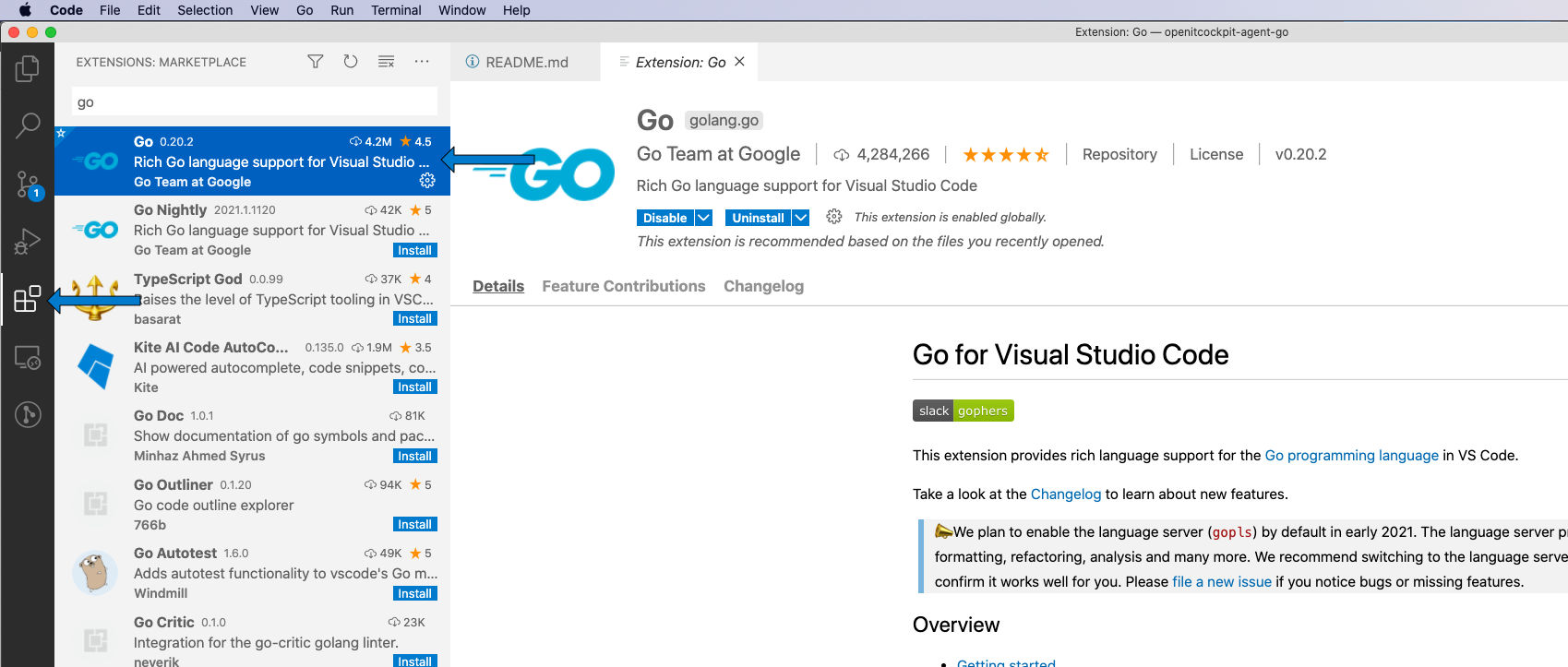
Run Visual Studio Code and make sure that you have installed the Go extension
-
Install Go tools Press
ctrl+shift+P(Windows and Linux) orcmd+shift+Pon macOS and selectGo: Install/Update Tools
Select all tools and confirm with Ok
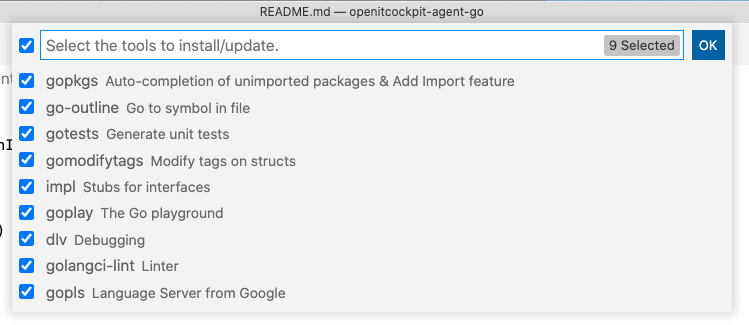
The installation is completed, as soon as you see All tools successfully installed. You are ready to Go :). in the VS Code terminal.
- Debug Launch Configuration
In the VS Code main menu click on Run -> Open Configurations
{
    // Use IntelliSense to learn about possible attributes.
    // Hover to view descriptions of existing attributes.
    // For more information, visit: https://go.microsoft.com/fwlink/?linkid=830387
    "version": "0.2.0",
    "configurations": [
        {
            "name": "Launch",
            "type": "go",
            "request": "launch",
            "mode": "auto",
            "program": "${workspaceFolder}",
            "env": {
                "OITC_AGENT_DEBUG": "1",
            },
            "args": ["-c", ".\\config.cnf", "--disable-logfile", "--debug"]
        }
    ]
}
Create a new file in workspace folder -> config.ini
[default]
customchecks = ./customchecks.ini
Create a new file in workspace folder -> customchecks.ini (Windows)
[check_Windows_Services_Status_OSS]
command = echo 'hello world'
interval = 15
timeout = 10
enabled = false
Create a new file in workspace folder -> customchecks.ini (Linux/macOS)
[check_echo]
command = echo 'hello world'
interval = 15
timeout = 10
enabled = false
Windows development notes
By default the agent will assume to be run as Windows Service. If you set OITC_AGENT_DEBUG it will run the default cmd like on linux.
$env:OITC_AGENT_DEBUG="1"
.\agent.exe -c C:\git\openitcockpit-agent-go\config.ini -l "$env:TEMP\agent.log"